
GTA V streamKaraoke captions · Kick watermark
New in v0.2.3 · knows what your video is about
Turn hours of stream into clips that hit.
Auraclip is an AI stream clipper for Windows. It finds the moments worth posting in your Kick, Twitch or YouTube streams, cuts them into captioned vertical clips with your logo, and posts them to TikTok, YouTube Shorts and X — once you say yes.
From a four-hour VOD to clips you can post. In four steps.
-
01
Drop it in
Paste a YouTube or Twitch link, or drop in any recording — MP4, MKV or MOV, from Kick, OBS or anywhere else.
-
02
AI finds the moments
Speech, laughter, audio spikes, scene cuts and Twitch chat land on one timeline. Where they stack up, there’s a moment — and it gets a Highlight Score.
-
03
It edits for you
Smart crop follows the player or a face. Word-by-word captions, your logo or Kick name, filters and music go on automatically.
-
04
You approve, it posts
Read the captions, change anything, press Post. Auraclip uploads to TikTok, YouTube Shorts and X with text written for each site.
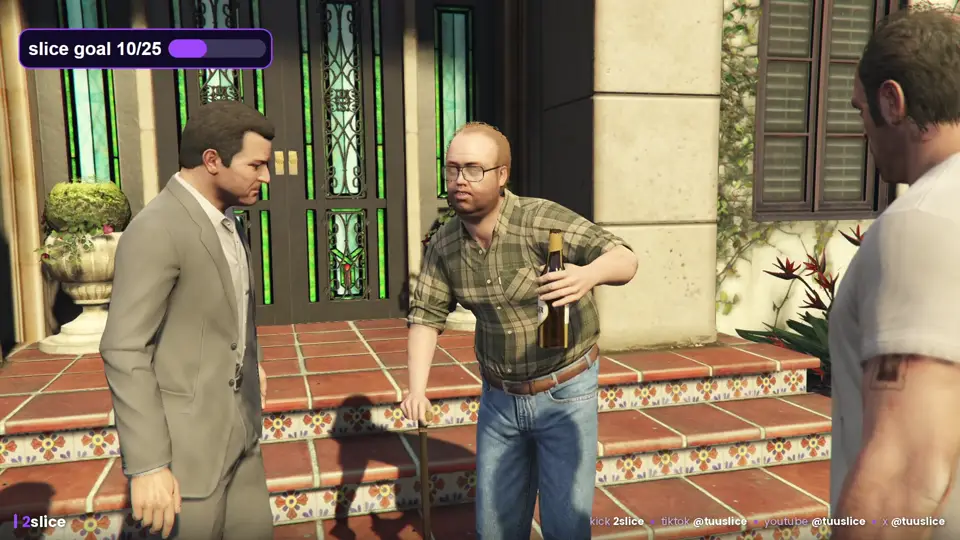
Real clips, straight out of the app.
Every clip below was found, cropped, captioned and branded by Auraclip. Any shape you need: vertical for TikTok and Shorts, landscape for X, square for feeds.
Short filmDialogue moment · bold karaoke
PodcastFollows the speaker · bold captions
Fantasy filmScene-cut detection · smart crop
Landscape for XIts own cut, caption only — no hashtags
Square for feedsSame moment, new shape
GTA V clips are from TUUSLICE’s own streams. Sintel and Cosmos Laundromat © Blender Foundation, CC BY. The podcast tile is an illustration.
Everything a clipper needs. Nothing you don’t.
AI moment finder
Speech, laughter, audio spikes, motion, scene changes and Twitch chat are scored together. Every moment gets a Highlight Score and a reason, so you see why it was picked.
Knows what it’s watching
Auraclip reads the title, on-screen text and a few frames to work out the game, show or podcast — so captions name the right thing and never invent names.
Smart crop
Turns 16:9 into 9:16 and keeps the action in frame. It follows the player, the car or a face instead of a lazy centre crop.
Captions that pop
Karaoke, bold or clean styles burned in word by word, plus an SRT file. Fix a word in the built-in editor in seconds.
Your brand on every clip
Your logo or Kick username on every clip, plus colour filters (vivid, cinematic, gaming…) and background music.
One-click posting
Posts to TikTok, YouTube Shorts and X with a caption and hashtags written for each site. Nothing goes live until you say so.
Private by design
Analysis and rendering run on your own PC. Your videos are never uploaded to us — only the clips you choose to post leave your machine.
GPU-fast renders
Hardware encoding on NVIDIA, AMD and Intel graphics. No graphics card? It still works, just slower.
Bring your own AI
Connects to LM Studio or Hermes for smarter scores and captions — or ranks clips on its own with no AI setup at all.
Clip from your phone
With Hermes, send a link on Telegram and get the finished clips back in the chat. Approve the post with one reply.
- 7days free trial
- 2PCs per license
- 3platforms, one click
- 0videos uploaded to us
Try it free. Keep it clipping.
Start with 7 free days of every feature. When you’re hooked, a license keeps Auraclip running.
Free trial
7 daysevery feature
- The full app, nothing locked
- Clip, caption and post as much as you like
- No card, no account
- About a 900 MB download
2-Month License
60 daysone payment, 2 PCs
- Everything in Auraclip, unlimited clips
- Works on up to 2 Windows PCs
- Free updates while your license is active
- Key in your inbox straight after you pay
Windows 10 or 11, 64-bit
8 GB RAM (16 GB recommended)
~3 GB free disk space
GPU recommended, not required
Built by TUUSLICE.
Catch the streams live on Kick and the clips everywhere else. Every clip you see there was made with Auraclip.
Questions or help? contact@irenew.co.za
Good questions.
Is there a free trial?
Yes. Auraclip has a 7-day free trial with every feature, built into the app. You don’t need a card to start it.
Does Auraclip upload my videos anywhere?
No. Analysis and rendering run on your own PC. Only the clips you choose to post go to TikTok, YouTube or X.
Will it post without asking me?
No. You see every caption first, you can edit it, and nothing is posted until you press Post.
What PC do I need?
Windows 10 or 11 (64-bit), 8 GB RAM (16 GB recommended) and about 3 GB of free disk space. A dedicated graphics card makes renders faster but is not required.
Which videos can I clip?
Paste a YouTube or Twitch link, or drop in any video file such as MP4, MKV or MOV, including your Kick VODs and OBS recordings.
Do I need my own AI model?
No. Auraclip ranks moments on its own. If you run LM Studio or Hermes, it connects to them automatically for smarter scoring and captions.
How does the license work?
A license lasts 60 days from the day you buy and works on up to 2 Windows PCs. Your key arrives by email from Gumroad straight after you pay, and you can move it to another PC in Settings, License.
Is there a Mac version?
Not yet. Auraclip runs on Windows 10 and 11.
Your best clip is already
in your last stream.
Let Auraclip find it. Free for 7 days.